Basic
$0.99/month
1 linked Twilio number
 ringotter
Get started
ringotter
Get started
Call and text from your existing Twilio numbers on iPhone. Talk to customers without giving out your personal number.
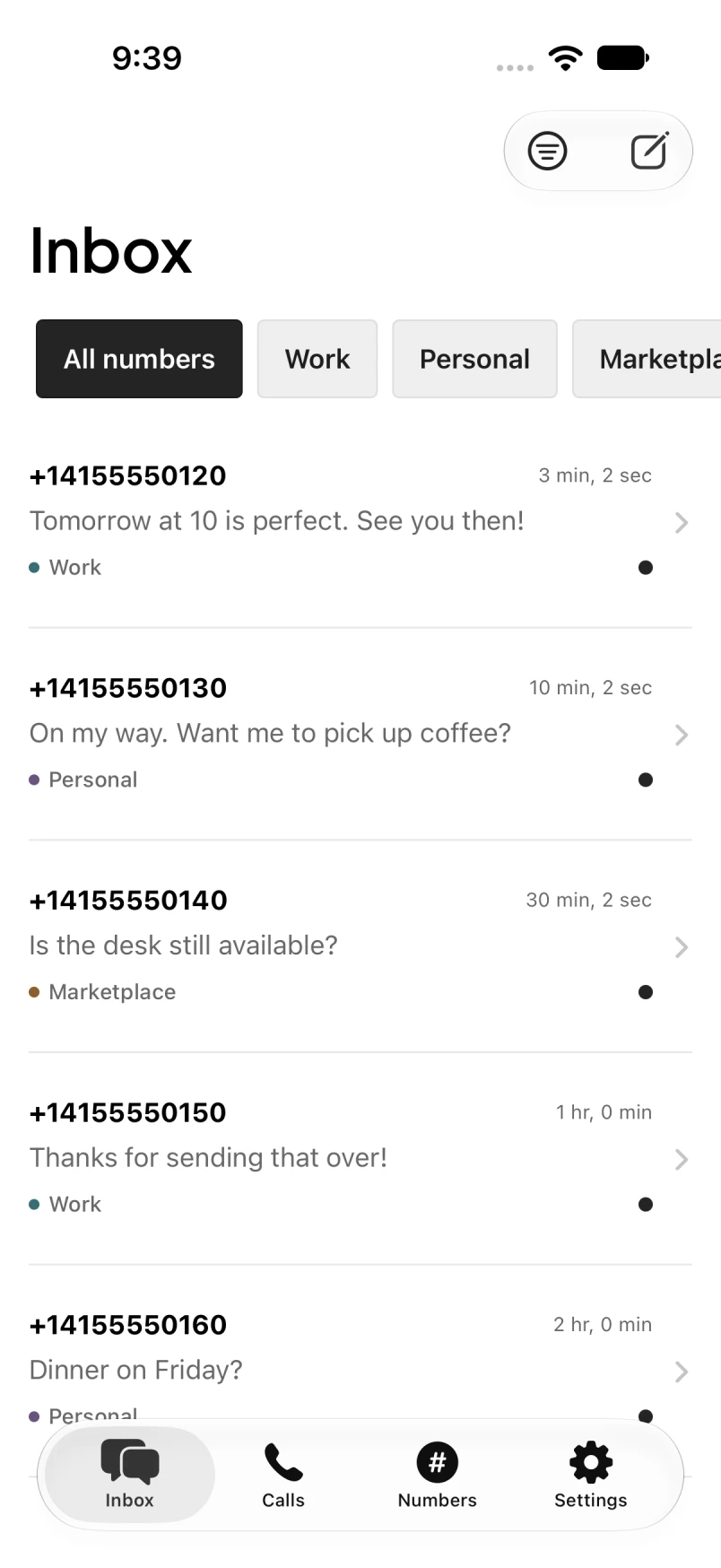
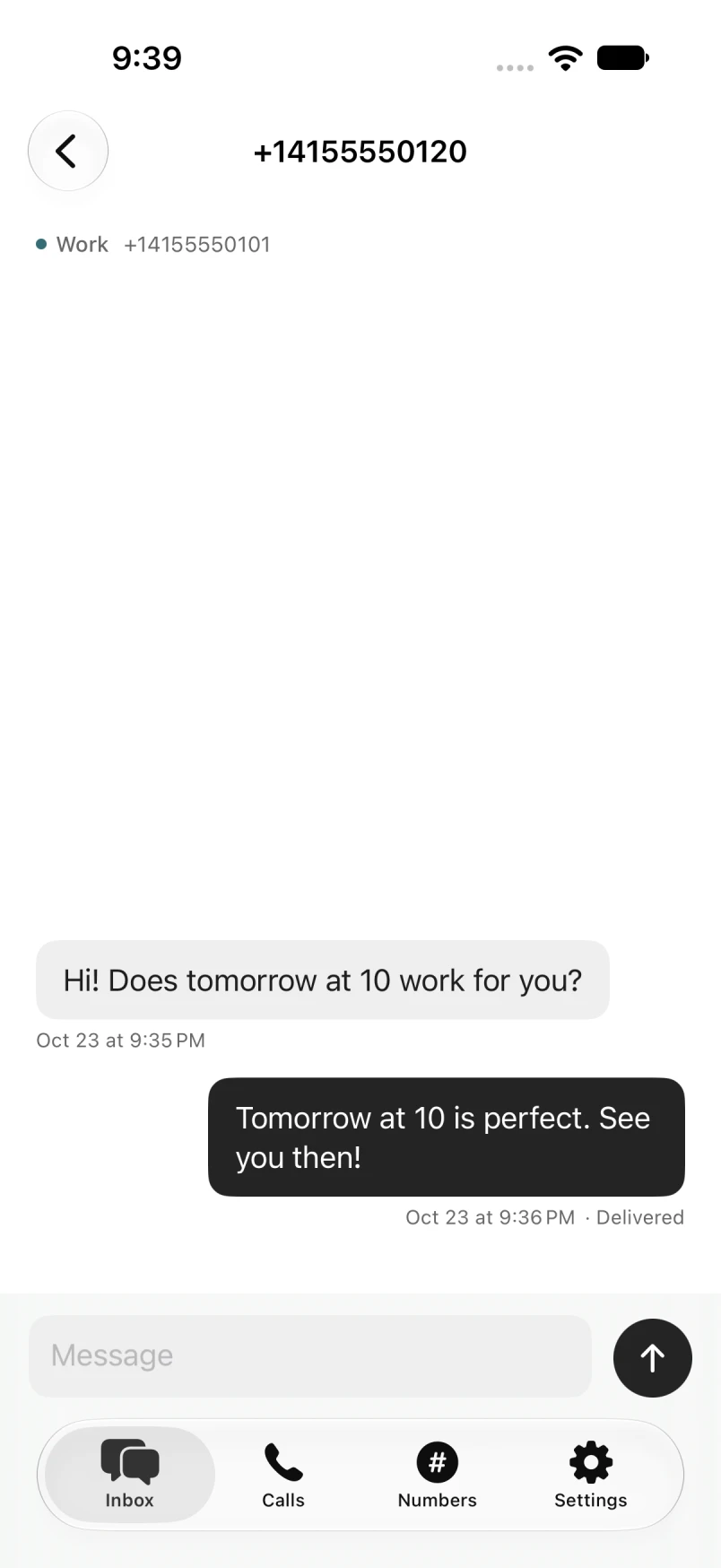
Confirm tomorrow’s appointment. Answer a quick question. Pick up the conversation from the number your customer already knows.
Search for a conversation or filter by number. Your replies stay with the number the conversation started on.
Make and receive calls from your Twilio numbers. See your call history when it’s time to follow up.
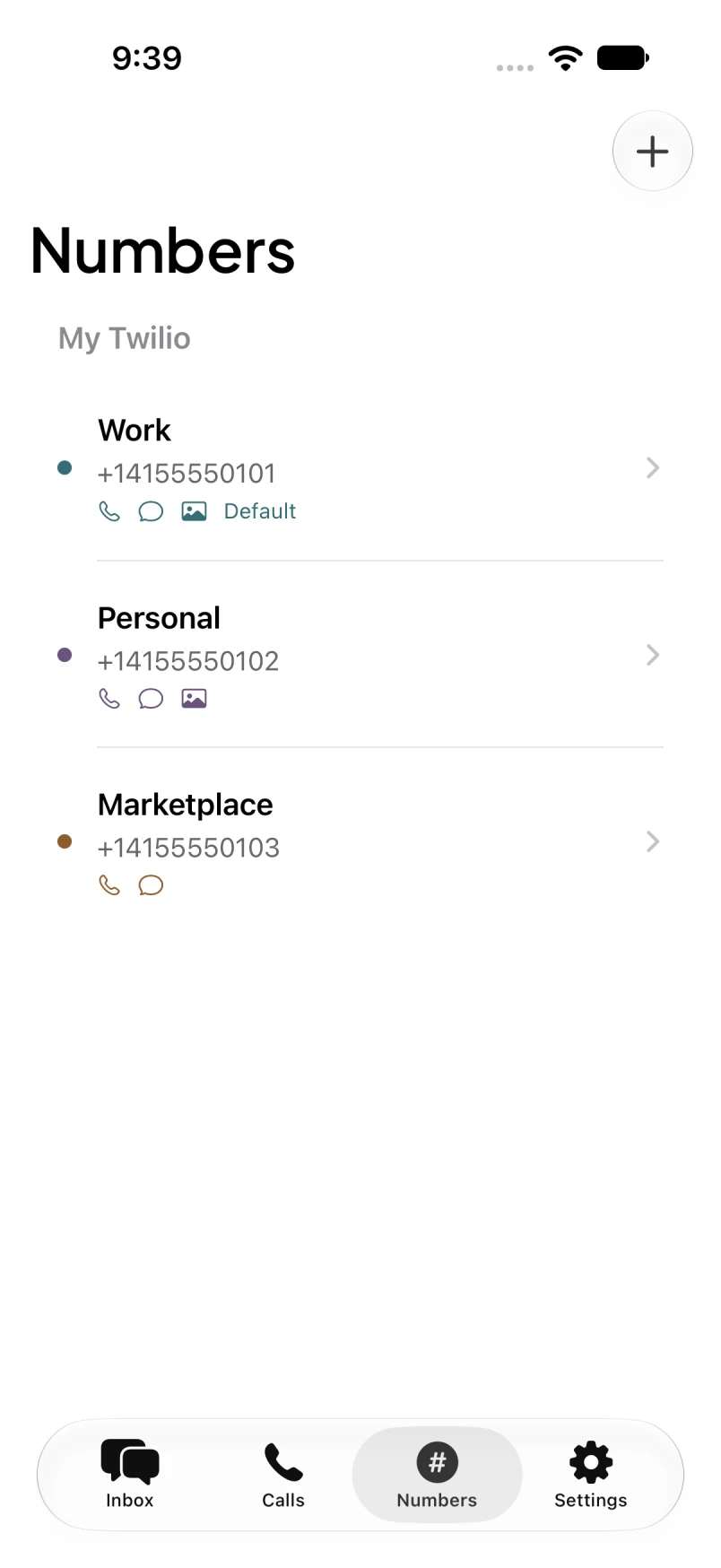
Your main business. A side project. The number you use for listings. Keep them together without mixing up who you’re replying as.
RingOtter is the iPhone app for your Twilio numbers. Your account and phone service stay with Twilio.
Bring your existing Twilio account and import your number.
Give it a name and choose which number to use for your conversations.
Send a text or make a call from your iPhone. Review incoming-call routing during setup.
The same calling and texting features. One number with Basic, or room for all your numbers with Pro.
$0.99/month
1 linked Twilio number
$4.99/month
Unlimited linked Twilio numbers
USD. Per person. Twilio bills separately for phone numbers, calls, and texts. View Twilio pricing
Yes. Connect your own Twilio account to use its phone numbers in RingOtter. Twilio bills you separately for phone numbers, calls, and messages.
Yes. Connect your account and import your existing numbers. Give each one a name and color so you can tell them apart.
Filter your inbox by phone number. Each conversation stays tied to the number it started with, so you know which number you’re replying from.
RingOtter is an iPhone app and requires iOS 18 or later.
Basic costs $0.99 USD per month for one linked number. Pro costs $4.99 USD per month for unlimited linked numbers. Both plans are for one person. Twilio bills you separately for number rental, calls, messages, and applicable fees.
Add your Twilio Account SID and Auth Token, then import your numbers. Calling needs additional setup. Review incoming-call routing before enabling it, especially if your number already connects to another service. The app requires iOS 18 or later.